
Introduction
YouTube to MP3 refers to tools and services that extract the audio track from a YouTube video and save it as an MP3 file. People are often interested in this option because they may want to listen to audio offline, save a lecture for later, or use an audio file on a device that does not provide convenient video playback. However, converting online content also involves copyright, privacy, and security considerations, so it is important to understand how these tools work before using one.
What Is YouTube to MP3?
YouTube to MP3 is a general term for a conversion process that turns the audio portion of a video into an MP3-format file. MP3 is a widely supported audio format, which means the resulting file can usually be played on computers, smartphones, tablets, car audio systems, and many other devices.
A typical converter works by accepting the URL of a YouTube video, processing the available media, and providing an audio file for saving. The exact options differ between services. Some may offer different audio-quality settings, while others provide only a basic conversion.
It is worth remembering that the conversion itself does not change who owns the original content. Music, podcasts, interviews, courses, and other videos may be protected by copyright.
Is YouTube to MP3 Easy to Use?
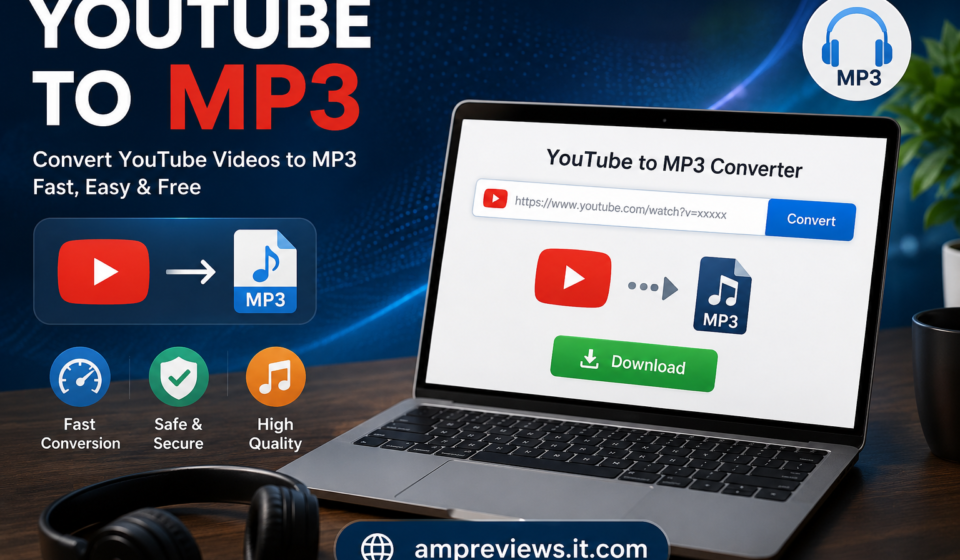
From a technical perspective, the process is generally straightforward. Most browser-based services are designed around a simple workflow: copy a video address, paste it into the converter, select an available audio option, and save the resulting file.
Compatibility is usually less of a problem with MP3 because it is an established audio format. Still, the quality of the output depends on the original source and the converter. Converting a low-quality video cannot magically produce high-quality audio.
Another consideration is that online conversion websites can change over time. A service that works today may later become unavailable, change its interface, or introduce restrictions. Users should therefore avoid assuming that every converter offers the same functionality.
Main Features and Options
Audio Extraction
The central purpose of a YouTube to MP3 service is audio extraction. Instead of keeping the visual portion of a video, the process focuses on its audio track and creates an audio file.
This can be useful when the visual content is not necessary, such as when listening to a spoken presentation or another type of audio-focused material.
Audio Quality
Some conversion services provide multiple quality choices. Higher-quality settings can produce larger files, while lower-quality files require less storage space.
The best choice depends on how the audio will be used. Casual listening may not require a large file, whereas someone who cares about sound quality may prefer the highest reasonable option available from the original source.
Device Compatibility
One reason MP3 remains popular is its broad compatibility. An MP3 file can generally be transferred between different devices without requiring a specialized player.
Before moving files to another device, however, it is sensible to check available storage and confirm that the device supports the selected audio format.
Browser-Based Conversion
Many converters operate directly through a web browser, so users do not necessarily need to install additional software. This can make the process convenient, particularly for people who only need to convert an occasional file.
The downside is that users must trust the website they choose. Unknown websites can contain intrusive advertisements, misleading buttons, or potentially unsafe downloads.
Why Do People Use YouTube to MP3?
Offline Listening
One common reason is offline access. Having a legitimate audio file can be convenient when an internet connection is unavailable or unreliable.
For example, someone may want to listen to content during travel or in a location where streaming is inconvenient.
Smaller File Sizes
Audio files are generally smaller than complete video files. Removing the visual component can therefore make content easier to store and transfer.
This can matter on devices with limited storage, although the final file size depends on the audio quality and length.
Convenient Audio Playback
Some people simply prefer listening rather than watching. An audio file can be played while doing other activities without keeping a video open on the screen.
This is particularly practical for audio-focused educational material, interviews, discussions, and other content where visuals are not essential.
Personal Organization
Saving permitted audio content locally can also make personal organization easier. Users can place files into playlists or organize them by subject, creator, or purpose.
However, this should only be done when the download or conversion is permitted by the content owner and applicable terms.
Is YouTube to MP3 Safe?
The safety of a YouTube to MP3 service depends largely on the website or software being used. Not every converter is equally trustworthy.
Users should be cautious with services that request unnecessary permissions, demand software installation, redirect repeatedly to unrelated pages, or present suspicious download buttons. Keeping browser and security software updated also helps reduce exposure to common online threats.
Privacy deserves attention as well. A conversion website may process the URL you submit and could use cookies or other tracking technologies. Reading the site’s privacy information can help users understand what information is collected.
Most importantly, avoid downloading unknown executable files simply because a conversion page recommends them. A normal audio conversion should not require unnecessary software with unclear origins.
Important Tips and Safety Note
The biggest consideration is copyright. YouTube contains both copyrighted and openly licensed material, and permission to watch a video does not automatically mean permission to download or redistribute its audio.
Before converting content, check whether the creator has given permission, whether the material is available under a suitable license, or whether you have another lawful basis for saving it. YouTube’s own terms and the copyright rules applicable in your country should also be considered.
For safer use, choose reputable services, avoid suspicious advertisements, do not provide unnecessary personal information, and scan unfamiliar downloads before opening them. Never redistribute someone else’s copyrighted audio simply because you were able to convert it.
Final Thoughts
YouTube to MP3 can be a convenient way to create an audio file from online video content when the conversion is permitted. Its main advantages are simple audio playback, offline listening, smaller files, and broad device compatibility.
At the same time, convenience should not come at the expense of security or copyright responsibility. Choose reliable tools, protect your device and personal information, and make sure you have the right to save the content. Used responsibly, audio conversion can be a practical option for legitimate personal listening and offline access.